Features

Everything Maestro can do, up close.

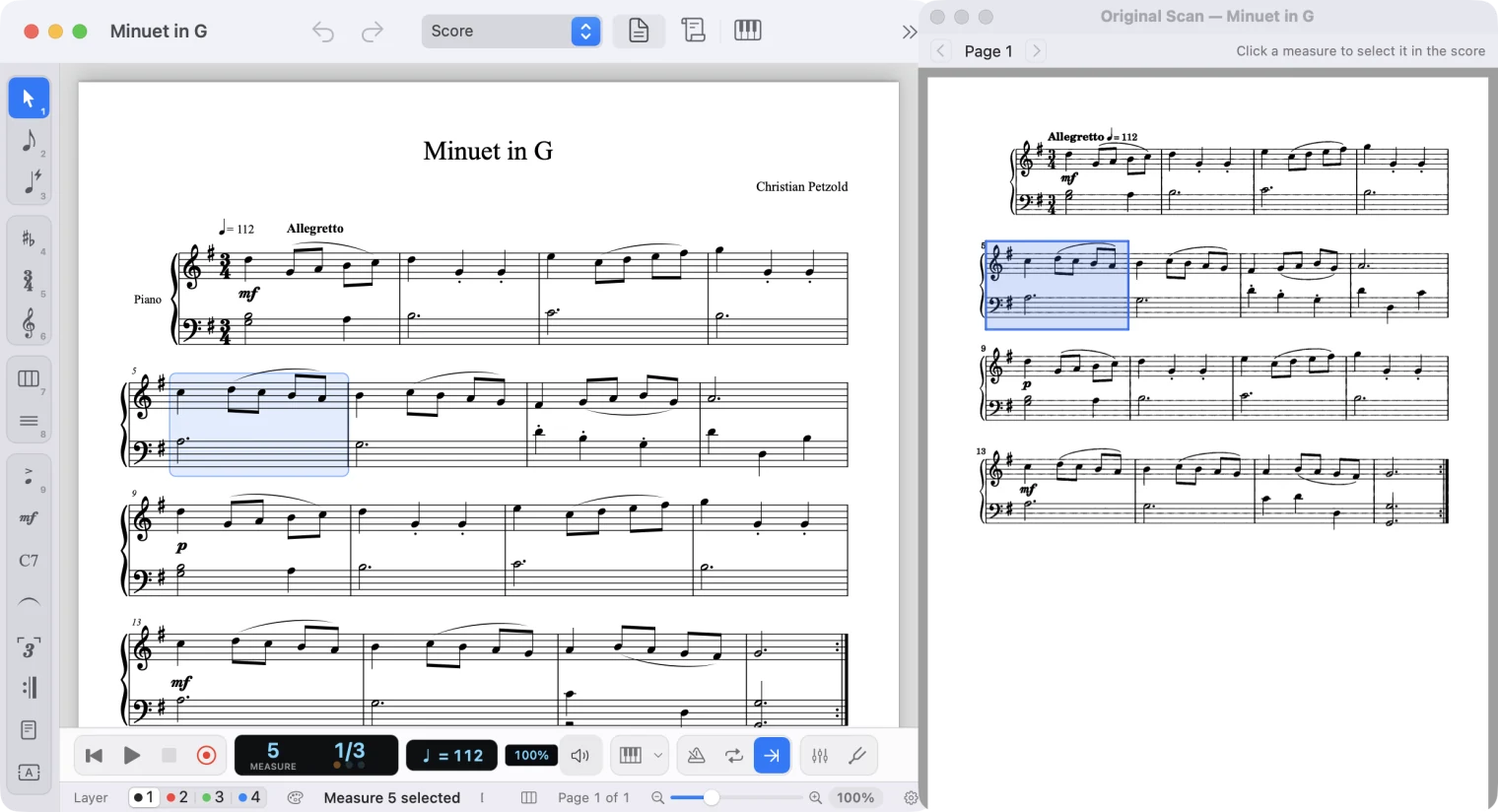
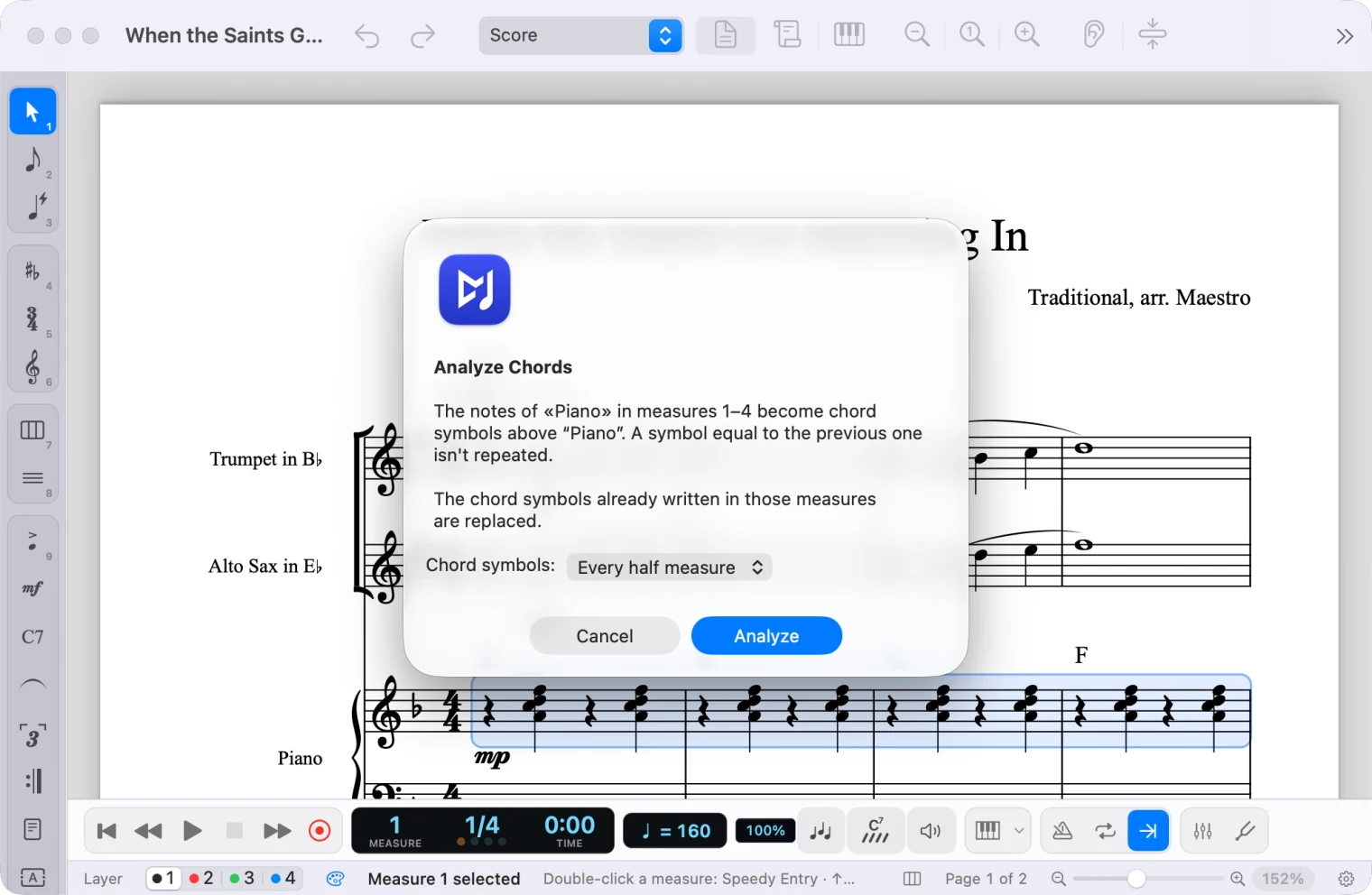
Besides writing, playing back and printing like Finale, Maestro reads paper sheet music, finds the chords, accompanies you, sings the words and lets you hear your score like in a studio.

Beyond Finale

Maestro does the tedious part.

Things you did by hand in Finale, or not at all: Maestro reads paper scores, finds the chords, plays along with you and keeps the page tidy.

Notation your way

The staff the way you want it, even hand-drawn.

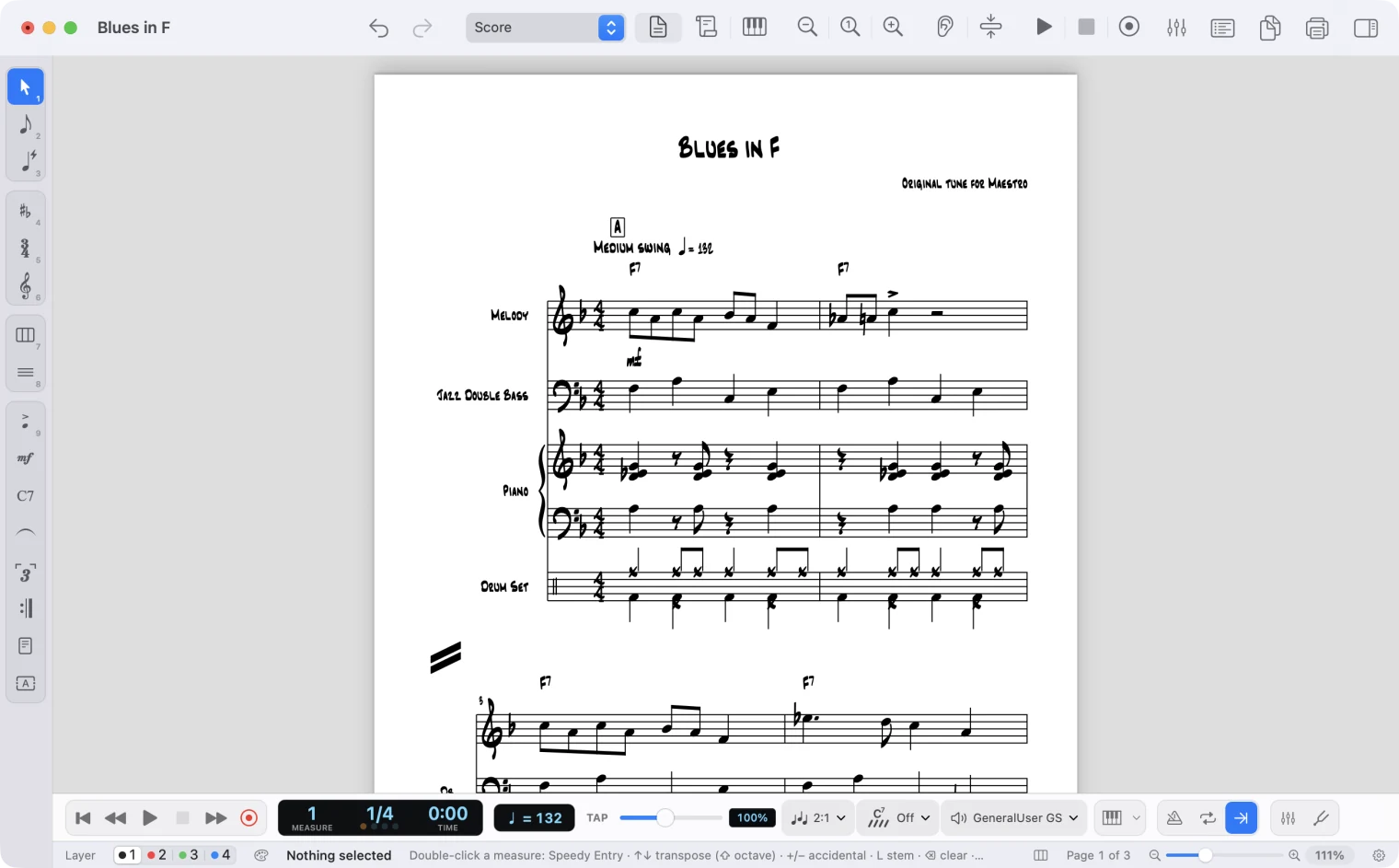
For scores out of the ordinary: stretches of staff with a different look, as in Finale, and hand-drawn markings where notation isn’t enough.

Staff Styles

Like Finale’s Staff Styles: Document → Staff Styles… gives a stretch of measures slashes, rhythmic notation or repeats, a staff with zero to five lines, tablature, shape notes, hidden stems or noteheads, another name or another size. A colored band marks them on screen, they can differ in the parts, and they travel in Finale files and MusicXML.

How it works

Graphic notation

The Drawing tool draws on the staff with a pen, lines, arrows, curves, rectangles, ellipses, growth lines, bands and waves, dashed or in transparent gray too. Each drawing belongs to its measures and stretches with the spacing; on iPad you draw with Apple Pencil, and the pen gets thicker where you press harder.

How it works

Mixer and tuner

Mix the band, tune your instrument.

Two studio tools, always at hand: they open with the two buttons at the end of the playback bar.

Mixer

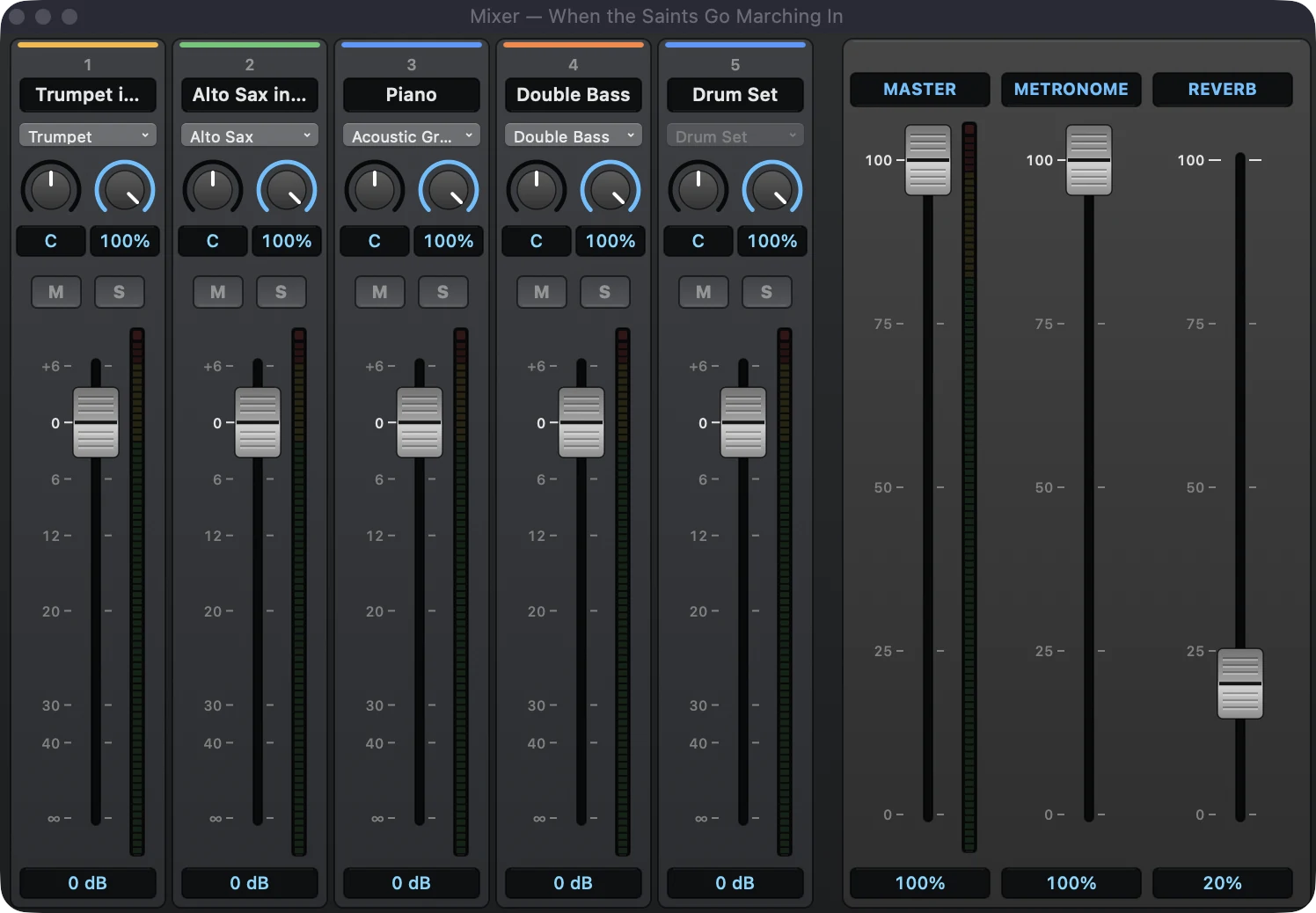
A studio console with a channel for each instrument: sound, pan, reverb, mute and solo, fader and stereo meters, plus master, metronome and reverb. Right-click to type exact values, copy settings from one channel to another and pick each channel’s color; the look can be customized, light theme included. You hear it at once, even while the score plays, and the settings are saved in the score.

Tuner

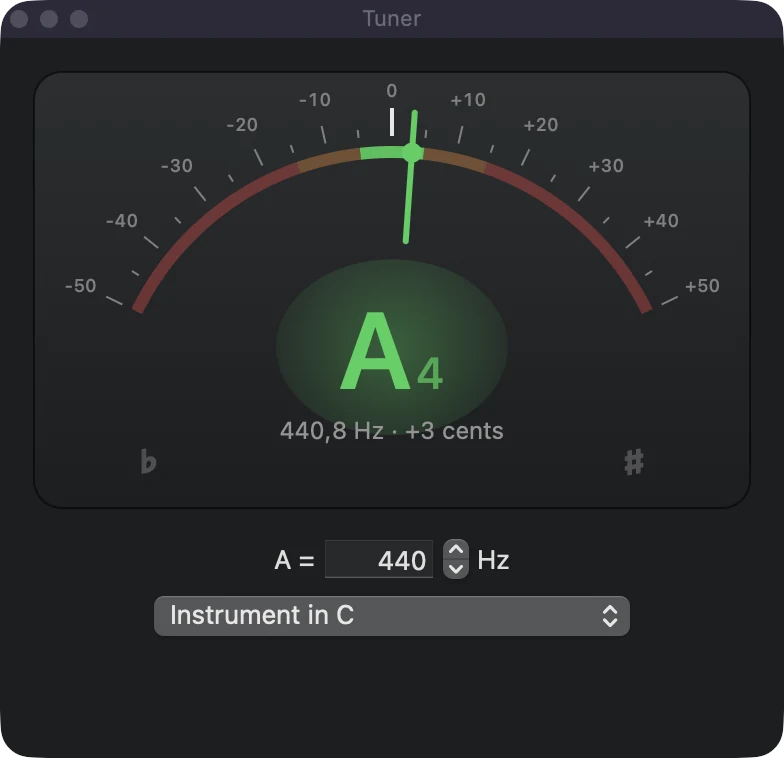
It listens to the microphone and shows the note, the frequency and how many cents sharp or flat you are. Pick the reference A and the transposing instrument, to read the note as it is written in your part.

The Maestro mixer with channels for trumpet, alto sax, piano, double bass and drums, and the master, metronome and reverb fadersThe Maestro tuner recognising an A at 440.8 Hz, in tune

Singing voice

Your score sings, with the words.

Write the melody and the lyrics: Maestro lets you hear them sung by a synthetic voice, syllable by syllable, to try out a song, a choir part or an aria before it reaches the singers.

From lyrics to voice

In the mixer, choose “Singing Voice” instead of a sound: the staff sings its notes with the words of the lyrics, breathes at the rests and follows verses, repeats and tempo changes, in playback and in exported audio.

Five free voices

Playback → Download Voices… installs Hoshino Hanami, Qixuan, Alemon, LIEE and Nishiren Gard with one click: female and male voices in English, Japanese, Chinese and Spanish, some with several voice colors. Italian is experimental, but Nishiren Gard sings it with real Italian sounds.

All on your computer

Your own computer computes the singing with DiffSinger, an open neural synthesizer: no account, no subscription, and the lyrics never leave your computer.

On Macs with Apple Silicon and macOS 14 or later, and on Windows; iPad will follow. The voices belong to their authors, under their own terms: some are for non-commercial use only.

The singing voice in the manual

Piano roll

Your notes, the way a recording app shows them.

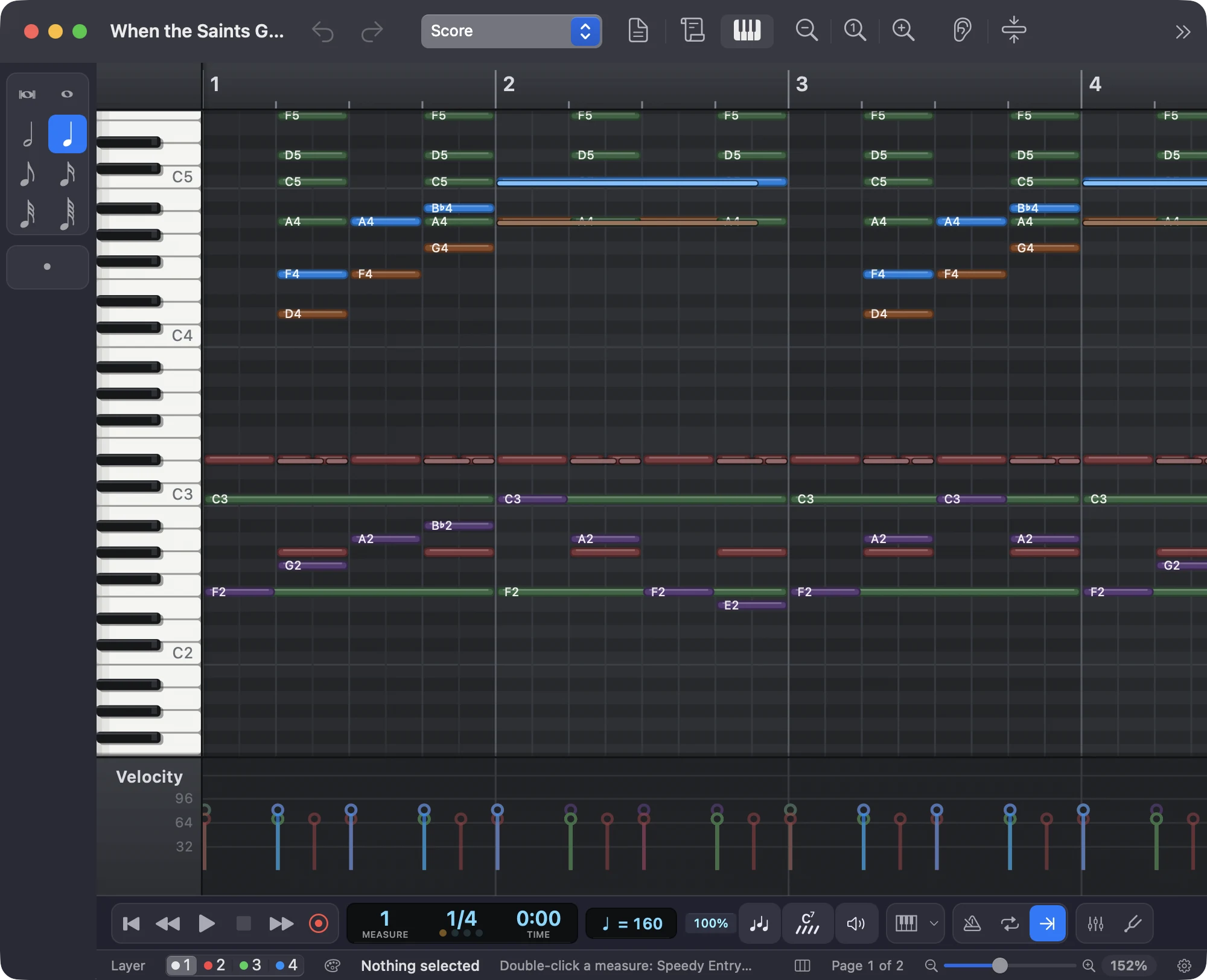
View → Piano Roll shows the score as bars over a keyboard: look at it, listen to it and fix it by dragging notes, and the notation rewrites itself.

The Maestro piano roll in the dark theme: trumpet, sax, piano, double bass and drum notes as colored bars over the keyboard with note names, and the velocity lane below

Edit with the mouse

Move notes up and sideways, stretch them from the edge, copy them, create new ones with a double-click: the measures you touch turn back into notation, with ties, rests and spelling in the right place.

Note-by-note velocity

In the lane at the bottom, set how strongly each note plays, even by drawing a crescendo: it applies to playback, MIDI and audio, with no extra marks in the score.

Drums and notes as played

Drums on their own become an editor with one row per sound; trills, staccatos, arpeggios and swing show the way playback plays them.

Made to measure

Dark or light theme, colors by instrument, velocity or voice, separate time and pitch zoom: right-click, just like the mixer.

The piano roll in the manual →

Up close

See Maestro at work.

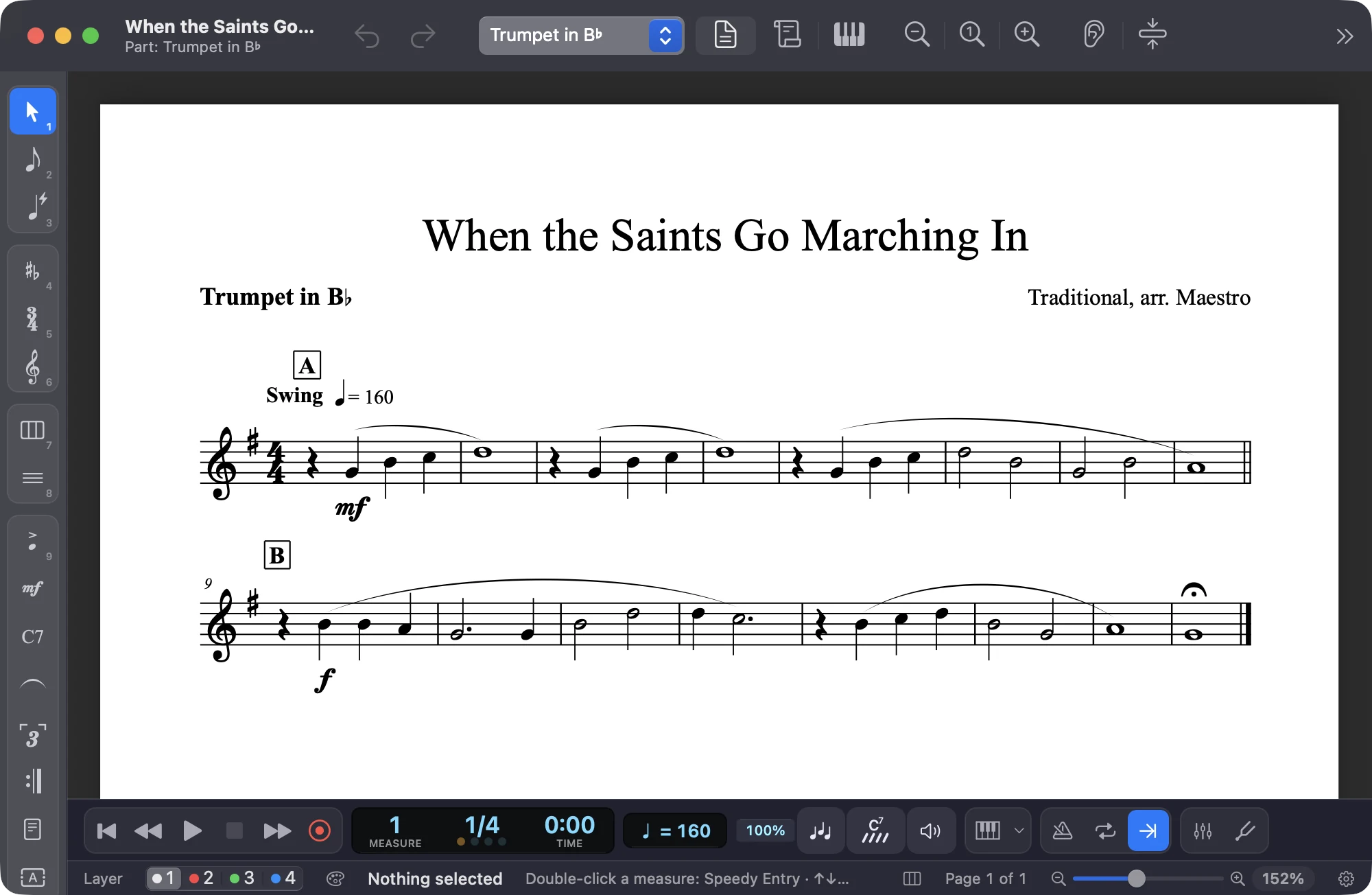
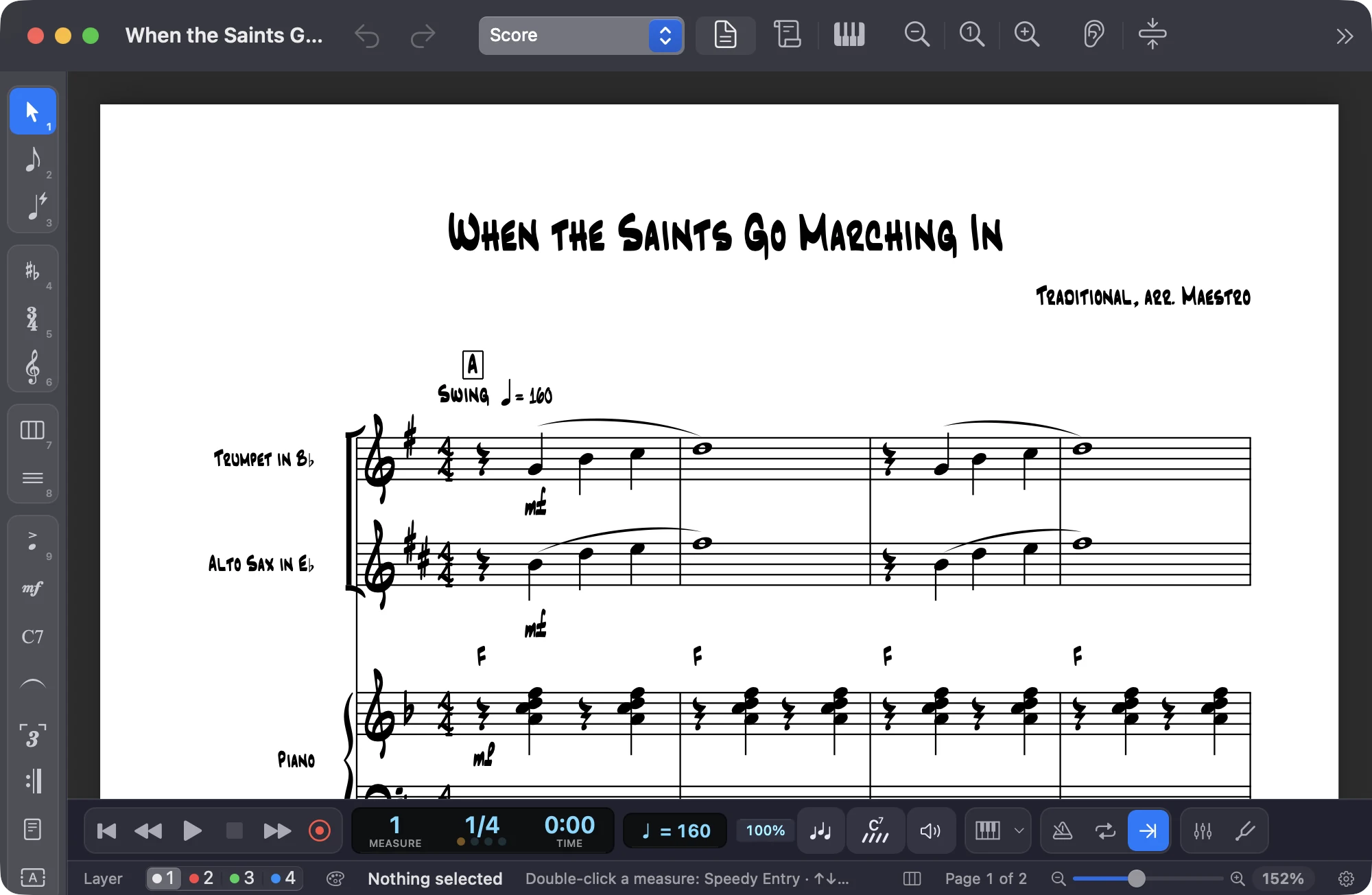
The trumpet part of When the Saints in Maestro, with the instrument name, rehearsal marks and dynamics

Every part, ready to print

From score to parts in one click: each instrument has its own layout, with multimeasure rests, rehearsal marks, dynamics and cue notes.

When the Saints in Maestro in the Jazz handwritten style: notes, chord symbols and instrument names look handwritten

Handwritten, like a real book

Document → Fonts… changes the music font and every kind of text. The Jazz handwritten style uses Finale’s fonts, which come with Maestro: notes, chord symbols and names look written by hand.

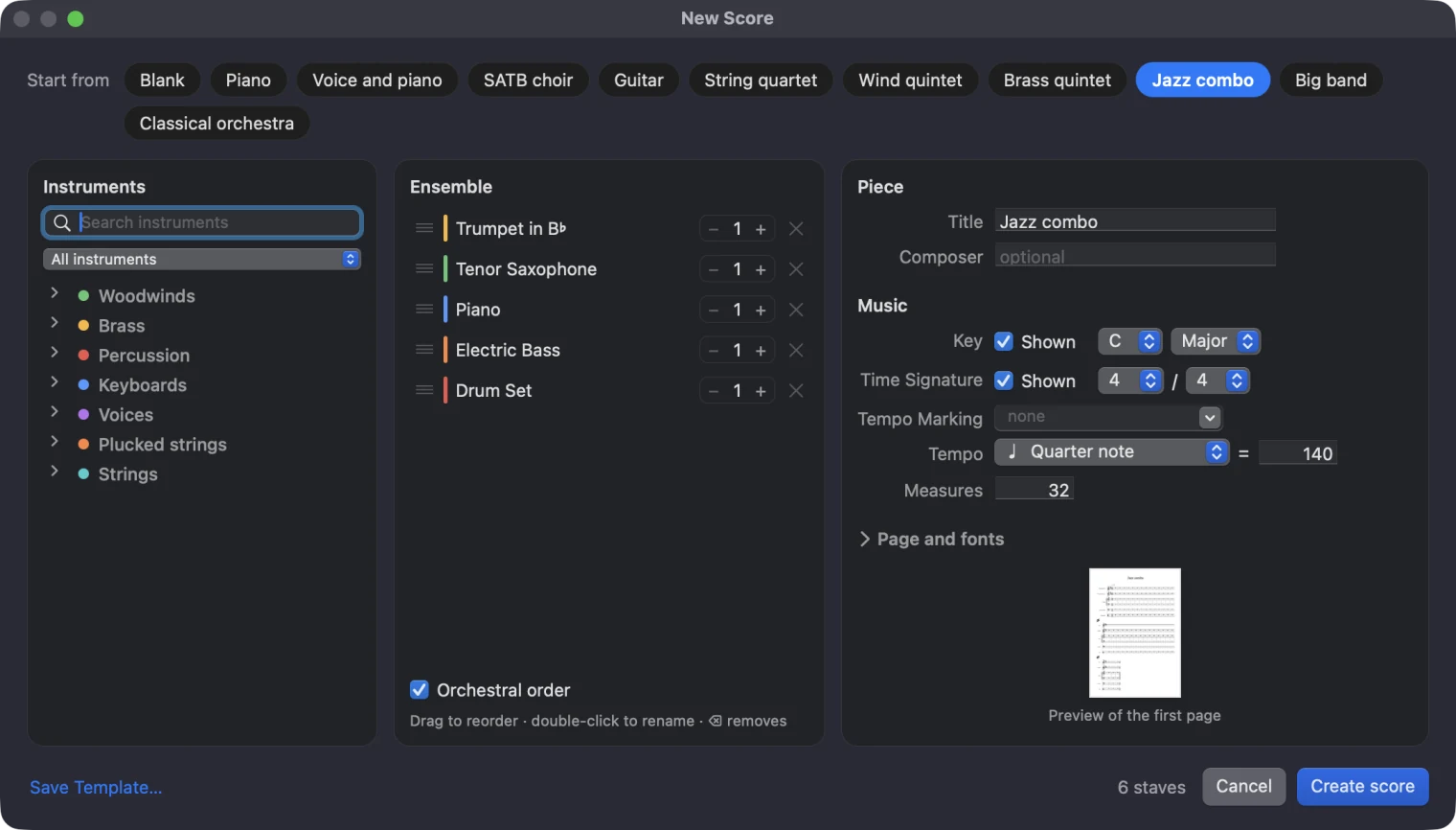
Maestro’s New Score window with the Jazz combo template

Start in a minute

Pick a template (jazz combo, big band, string quartet, SATB choir and more), change the instruments as you like and start writing.

Virtual instruments

Play on screen, and Maestro writes it down.

Below the score, a panel follows the instrument: piano, drums, a guitar or string fingerboard, xylophone bars, harp and koto strings; plus pads for the chords in the key, an isomorphic grid and wind fingerings. A click plays the note and, while you write, puts it in the score.

Piano

88 keys: a click plays and, with Speedy or Simple Entry, writes. While the score plays, the keys light up in each staff’s color.

Maestro’s virtual piano with the notes of the selected chord lit

Drums

On a percussion staff you get a drum machine: one pad per sound, which plays and writes the hit and lights up in time.

The pads of Maestro’s virtual drum kit with the ride cymbal lit

Guitar and bass

On guitar, bass and ukulele you get the neck: pick a string and fret and the note is written right there, tablature included.

Maestro’s virtual guitar neck showing an A minor chord with note names

Strings

On violin, viola, cello and double bass the fingerboard has no frets and the right strings: the note lights up on its semitone line and is written on that string.

The fretless fingerboard of Maestro’s virtual violin with the notes of the first measure of Pachelbel’s Canon lit

Mallet percussion

Xylophone, marimba, vibraphone and glockenspiel get their own bars, wooden or metal, with the instrument’s real range and the accidentals in the back row.

The metal bars of Maestro’s virtual metallophone with the notes of Jingle Bells lit

Harp and koto

Harp strings with red Cs, blue Fs and a pedal diagram that follows the key signature; the koto in hirajōshi, open or pressed beside the bridge.

The strings of Maestro’s virtual harp with the pedal diagram and the notes of the Minuet in G lit

Chords in the key

Seven columns, one per degree: triads and seventh chords, colored by their function. A click plays the chord and writes its notes or the chord symbol.

Maestro’s chord pads for the key, with the degrees in Roman numerals and the chord symbols

Isomorphic grid

Like Launchpad and Push: a semitone to the right, a fourth up. Scales and chords keep the same shape in every key, and the notes of the key are colored.

Maestro’s isomorphic grid with the notes of the key colored

Wind fingerings

Valves, slide positions and keys for brass, saxophones and flutes: the chosen note in large, and next to it the instrument’s whole range.

Trumpet fingerings in Maestro: the valves for the selected note and for every note of the instrument

View → Panels → Virtual Instruments (⌥⌘J; Ctrl+Alt+J on Windows), on Mac and Windows.

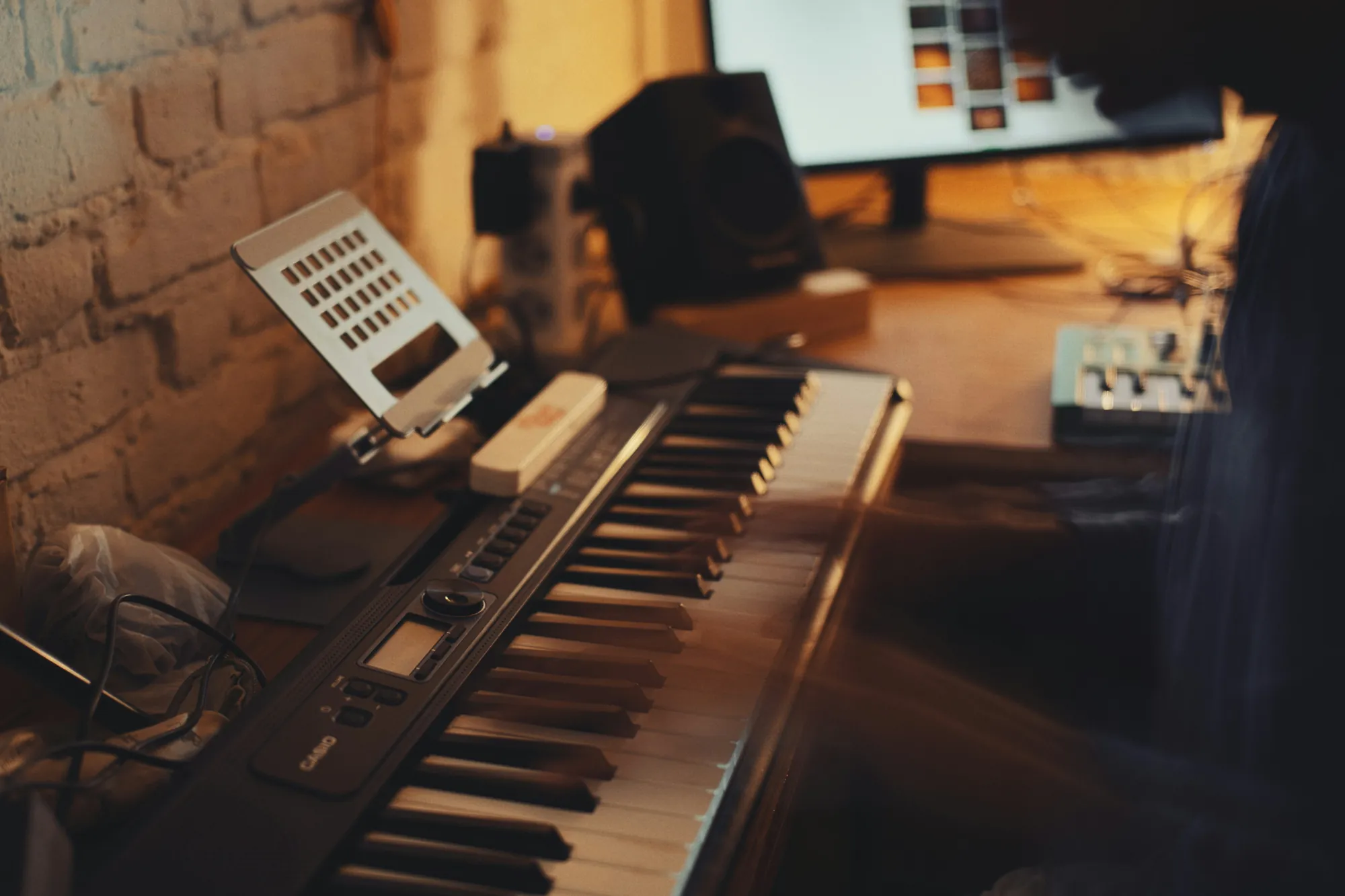
A person playing a digital keyboard in a home studio, with the computer beside it

MIDI keyboard

You play, it becomes a score.

Plug in a MIDI keyboard: write note by note with Speedy Entry, or record as you play and Maestro transcribes it, even with both hands. No keyboard? Sing or play into the microphone.

Ready to write?

Maestro is free, for Mac and Windows. Download it and open your first score in a minute.

Download for macOS

Version 1.16.0 · macOS 13 Ventura · 107 MB

A man writing a score on his laptop in the living room, with a grand piano beside him